Pay what you want, even $0

Your servers, as clear as Finder.

Captain is a fast, quiet file transfer app for SFTP, FTP and FTP with TLS. Passwords stay in your Keychain, and it checks every server's identity before it sends one.

Pay what you want, even $0 · macOS 12 or later · Apple silicon and Intel

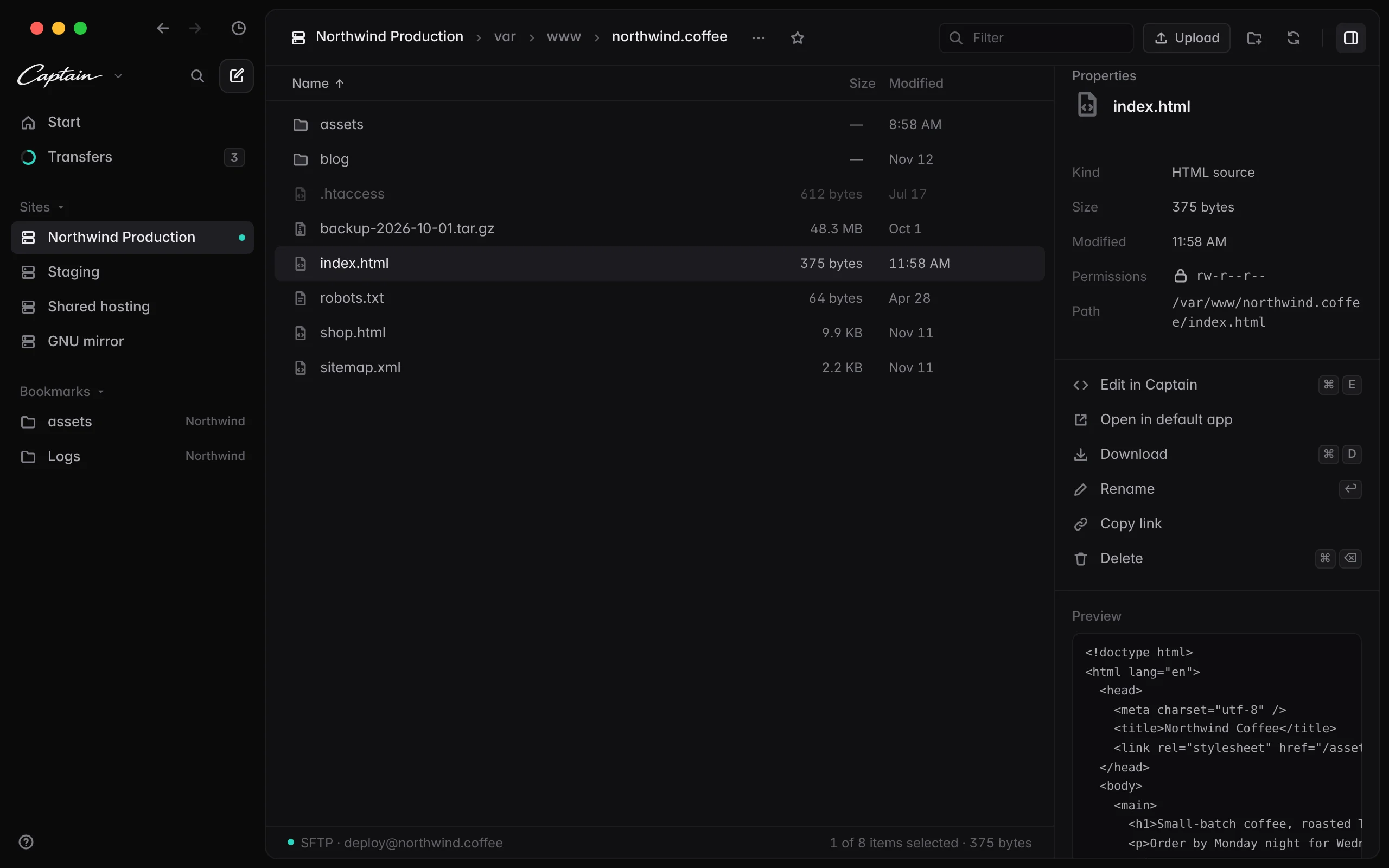
Captain window showing a server's files in the sidebar and list, with index.html selected and its properties and a code preview in the inspector
SpeaksSFTPFTPFTP with TLSSSH keysssh-agent

Everything where you expect it.

01

Safe by default

Host keys are checked against ~/.ssh/known_hosts before any password is sent. A new server shows its fingerprint for you to confirm, and a changed one is refused. A self-signed FTPS certificate can be trusted once and stays pinned.
02

Sites in the sidebar

Each site keeps its own connection and place, so moving between production and staging is instant.

03

Browse like Finder

Folders first, natural sorting and type to select. Return renames, ⌘↓ opens, ⌘⌫ deletes, ⌘F filters.

04

Drag and drop

Drop files from Finder onto a folder or a breadcrumb to upload them there.

05

Edit in place

⌘E opens a text file in Captain's editor, and ⌘S saves it to the server. Or open it in your own editor and every save uploads.

06

A transfer queue that stays out of the way

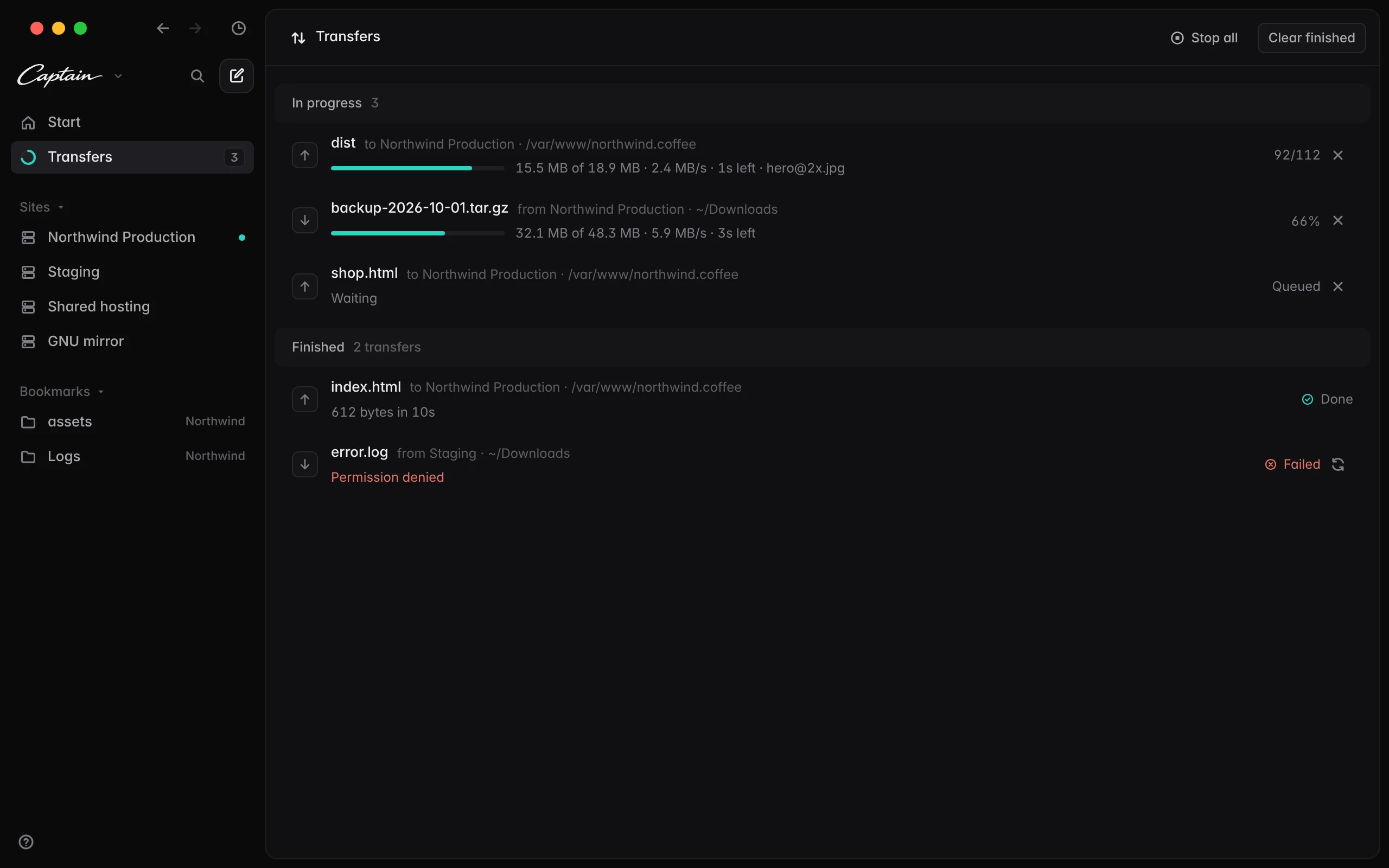
Three transfers at once, each on its own connection, with speed and time left. Stop or retry any of them.

07

Keychain only

Passwords and key passphrases live in the macOS Keychain, never in a file.

08

⌘K for everything

Every site, bookmark, file in view and action, a few keystrokes away.

Inspect without opening

Select a file to see its size, permissions and path, preview text files, and copy a link to it.

Captain's inspector showing a file's kind, size, permissions, path, actions and a preview

Downloads never overwrite

Uploads replace files on the server, as deploying expects. Downloads never replace anything on your Mac, and a half-finished file never looks whole.

Captain's transfers list with two transfers in progress, one queued, one done and one failed with a Retry button

Install in a minute.

  1. 1

    Download the Captain disk image and drag Captain to Applications.

  2. 2

    The first time you open it, macOS says it can't verify the developer. Open System Settings › Privacy & Security and click Open Anyway. You only do this once. Why?

  3. 3

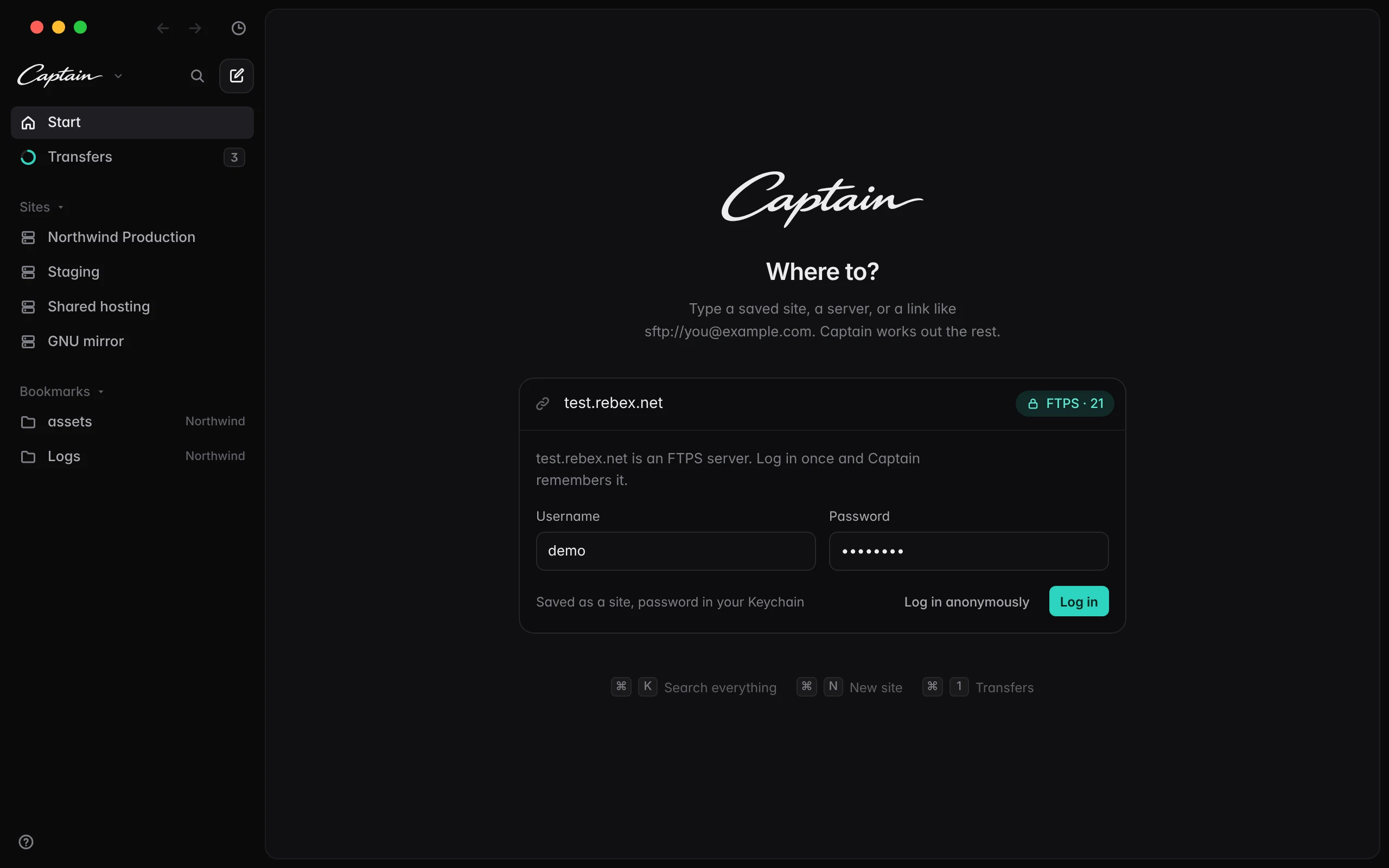
    Type your server on the start page. Captain works out whether it speaks SFTP, FTP or FTP with TLS, asks for your login once, and remembers it.

Captain's start page connecting to a new server: it found FTP with TLS on port 21 and asks for the username and password

Your servers, as clear as Finder.

Pay what you want, even $0 · macOS 12 or later · Apple silicon and Intel